Before you begin
Choose a location. Publish any menus or events you want the website to show.
Publish everywhere
Publish a simple home for each location’s story, hours, menus, and events.
Open in StudioChoose a location. Publish any menus or events you want the website to show.
Save draft keeps work private. Publish website updates the Venue Menus address and any verified custom subdomain; the canonical address enters the sitemap. Unpublish removes public access while retaining the draft.
Each location can publish one scrolling website with its venue name, introduction, story, colors, logo, hero image, address, phone, email, daily hours, and an optional external link.
Use direct HTTPS image URLs or durable generated assets. External images remain hosted by their source, so choose URLs you control.
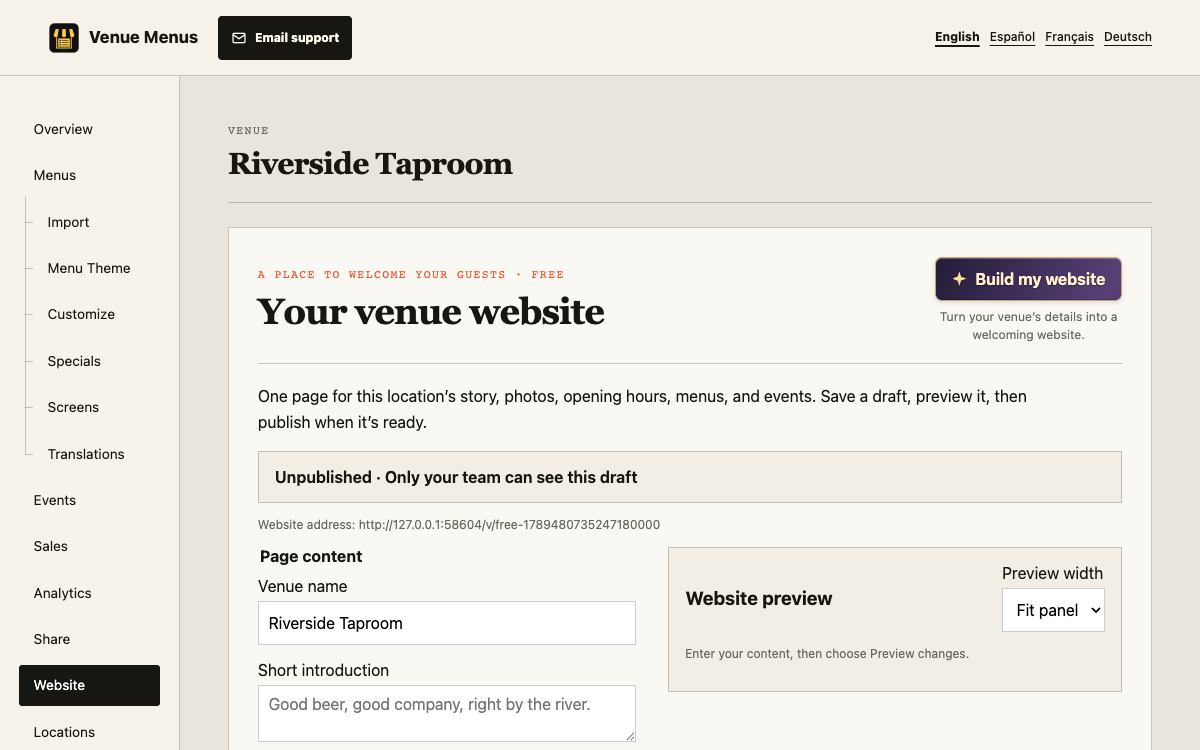
One subdomain you own can open each published venue website over HTTPS for Free. In Website, enter a hostname such as visit.example.com. Add the CNAME and TXT records shown in Studio at your DNS provider, then choose Check DNS. Keep both records in place while using the domain. Domain registration and renewal remain with you.
The original Venue Menus website address keeps working. Menus linked from the website keep their Venue Menus addresses. Replacing or removing a domain in Studio stops serving the old address immediately; remove its DNS records at your provider afterward. Root domains such as example.com are not supported.
Build my website can draft copy, colors, and a hero illustration for 1,000 credits. It keeps known contact details, hours, and published links, leaves missing facts for manual completion, and never publishes.
The Website editor lets you include published menu lists, flavor maps, or both. Publish each map from the Flavor map page first.
One scrolling website and one customer-owned subdomain per location are Free. Images must use durable generated assets or direct HTTPS URLs.
Preview before publishing. Failed saves keep the form; concurrent changes require a reload and fresh review.
Still stuck? Email Venue Menus support with the location, menu or screen name and the action you were taking.