Before you begin
A reviewed menu draft. Guest web links also require public venue access.
Publish everywhere
Use one approved menu on the web, QR codes, embeds, paper, and TVs.
Open in StudioA reviewed menu draft. Guest web links also require public venue access.
Publish saves the draft as the next menu version. Web, QR, embed, print, and TV outputs then use that saved version according to access and screen settings.
Publish saves current draft content as the menu’s next numbered version. Overview explains whether guest access is enabled and lists meaningful draft differences such as added, removed, edited, or reordered items.
Publishing is explicit. Saving an item, layout, translation, event, or website draft does not publish that work unless its workflow says it updates immediately.
Open Share & print for:
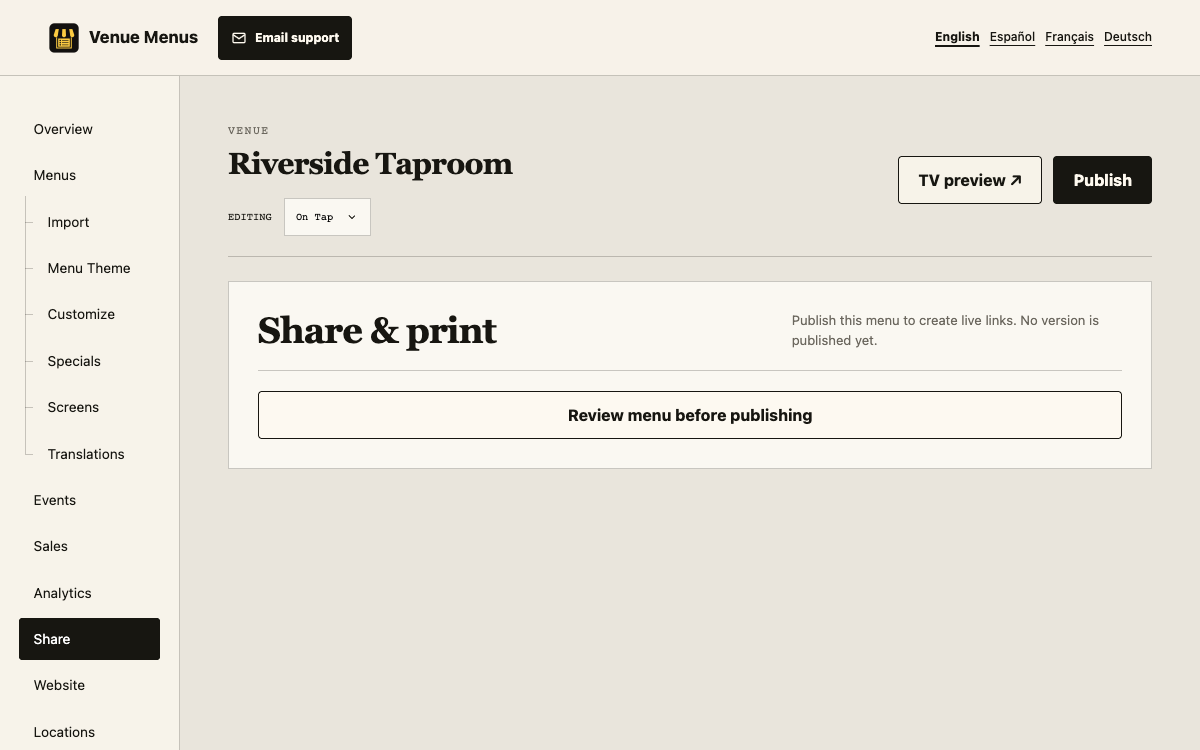
Preview links let signed-in members inspect private or unpublished work. A visible footer identifies the version and whether it is unpublished or a theme preview. Preview requests do not count as guest views or grant access.
If two outputs differ, compare the menu name and version shown in their captions. TV screens can be assigned or scheduled to a different menu. Web, QR, embed, and print require guest access for public visitors. Theme changes can be immediate while draft content still awaits Publish.
The QR image does not need to be reprinted because its destination stays the same.
Flavor maps publish separately from menu lists and have their own public links and embed codes.
Preview links do not grant guest access. QR scans count as menu views; print previews do not print automatically.
If an output looks old, compare its displayed version, menu assignment, and guest-access status before reloading it.
Still stuck? Email Venue Menus support with the location, menu or screen name and the action you were taking.