Before you begin
Choose a location and menu in Studio.
Menus and design
Keep sections, items, servings, prices, and availability current.
Open in StudioChoose a location and menu in Studio.
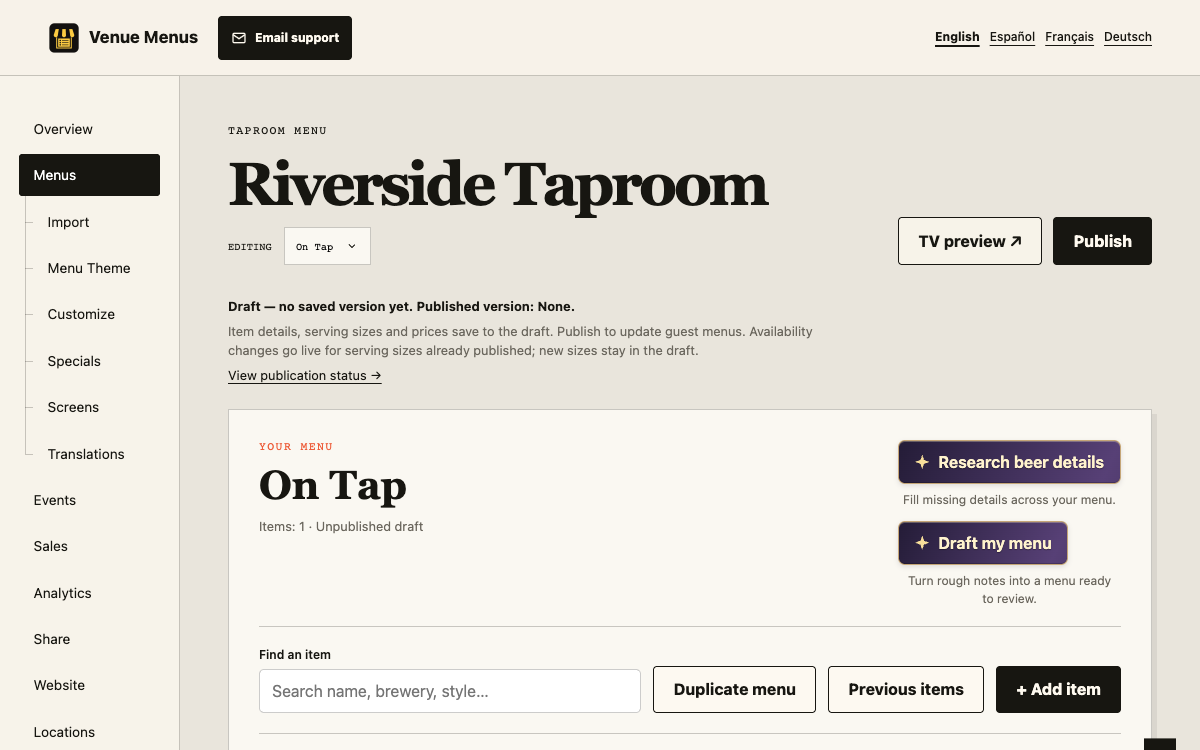
Edits update the draft. Guests and published outputs change only after Publish.
Menus support beer, wine, cocktails, coffee and other non-alcoholic drinks, plus simple food text. Give each item a section, type, name, description, and any useful brewery, style, ABV, origin, or tap number.
Open Organize sections & items to rename or reorder sections and move selected items together. Customization can also sort or group the presentation by price, brewery, style, or origin without rewriting the saved source order.
Previous items searches items removed from this and other account menus. Adding one creates an independent copy with saved servings and prices, marked available. Square sync and keg tracking are not copied.
Duplicate menu copies the current saved draft, promotions, and styling into a new independent menu at the same venue. Translations, TV assignments, schedules, Square/Untappd sync, and keg tracking stay with the original.
Select editable items, choose a percentage or fixed adjustment, and save the resulting serving prices. Negative adjustments reduce prices. Shared items change across drafts that use them, while public menus wait for Publish. Edit Square-owned prices in Square.
Beer detail research can propose missing brewery, style, ABV, origin, and description fields. It preserves names, prices, sizes, and existing details, and always requires review before applying.
Prices support two decimal places. Menu tools focus on drinks; food can be entered as text without restaurant-specific allergens, nutrition, or modifiers.
Failed saves leave the item open. Resolve the inline message, reload only when asked, and retry.
Still stuck? Email Venue Menus support with the location, menu or screen name and the action you were taking.